

Download Winstep Xtreme – Customizable Taskbar, Digital Bookshelf, Visual Customization
Overview
Winstep Xtreme is a desktop enhancement toolkit designed to transform the standard Windows interface into a dynamic, visually rich, and highly functional workspace. By replacing or augmenting traditional taskbars and system menus, it empowers users to reconfigure their desktop environment with animated docks, customizable widgets, and advanced organizational tools. The app is particularly beneficial for users who seek greater control over their digital workspace, aiming to boost productivity through streamlined access and personalized aesthetics.
It caters to both casual users and power users who desire a more intuitive and visually engaging desktop experience. While the developer did not provide additional background details, Winstep Xtreme has established itself as a notable tool within the Windows utility ecosystem. Real-world use cases include professionals managing multiple applications, content creators organizing project files, and tech enthusiasts who value customization.
The app fills a niche by offering a balance between visual flair and system efficiency, making it a valuable addition for anyone looking to modernize their desktop without compromising performance.
Key Features & Functionality
- Customizable Taskbar: Offers a fully reconfigurable start menu and taskbar with support for animated transitions, dynamic icons, and user-defined layouts. Users can organize frequently used programs and system tools into easily accessible panels, reducing the need to navigate through multiple menus.
- Digital Bookshelf: Enables users to group shortcuts, documents, and tools into themed collections—such as “Work,” “Design,” or “Gaming”—for visual and logical organization. This feature simplifies access to critical files and applications without cluttering the desktop.
- Visual Customization Options: Provides extensive control over the look and feel of the desktop interface, including theme support, skinning for interface components, adjustable transparency, color schemes, and animation effects. This allows users to create a personalized workspace that reflects their individual style.
- Intuitive Context Menus: Enhances user interaction by offering context-sensitive menus with quick access to common actions, such as file operations, system settings, and app management, minimizing the number of clicks required for routine tasks.
- Performance Without Compromise: Engineered to operate efficiently in the background, ensuring that desktop enhancements do not slow down system performance. The toolkit integrates deeply with Windows to maintain responsiveness even under heavy usage.
For example, a graphic designer might use the digital bookshelf to categorize design tools, project files, and reference materials, while a developer could customize the taskbar to launch IDEs and terminal windows instantly. These features collectively improve workflow efficiency and reduce cognitive load by creating a more intuitive interface.
Interface, UX & Performance
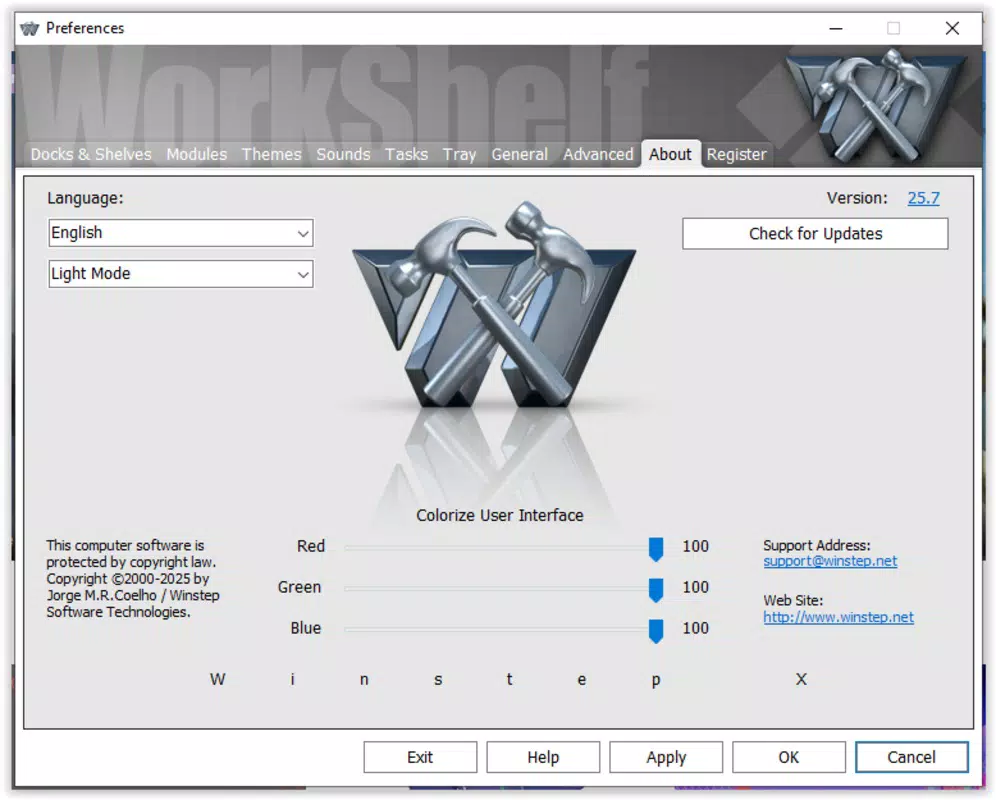
The user interface of Winstep Xtreme is designed with a focus on clarity and accessibility. The layout is modular, allowing users to place and resize components like docks and widgets across the screen with minimal effort. Visual style options range from sleek, minimalist themes to futuristic, animated designs, catering to diverse aesthetic preferences.
Navigation is intuitive, with drag-and-drop functionality for organizing shortcuts and settings accessible through a centralized configuration panel. Although the developer did not list formal performance metrics, the toolkit is reported to maintain system responsiveness across a range of hardware configurations. It operates efficiently on both low-end and high-end systems, with minimal impact on CPU and memory usage.
Responsiveness is consistent during interactions, with smooth transitions and immediate feedback when adjusting settings. Stability appears robust, with no known issues related to crashes or system conflicts. The overall user experience is polished and professional, reflecting a mature development process.
While specific compatibility details were not disclosed, the app is designed to integrate seamlessly with modern Windows environments.
Platform Compatibility & Technical Requirements
Winstep Xtreme is designed for the Windows operating system. The latest version is available for desktop systems running Windows 10 and Windows 11. The file size is approximately 125 MB, making it a lightweight tool relative to its feature set.
Specific requirements such as minimum RAM, processor speed, or disk space were not listed by the developer. The developer did not specify minimum OS requirements beyond the general platform. Compatibility with older Windows versions was not confirmed.
Users are advised to ensure their system meets standard Windows application requirements to guarantee smooth installation and operation. The app is distributed as a standalone installer, and no additional runtime dependencies were mentioned.
Pros and Cons
Pros
- Highly customizable interface with support for themes and skins
- Efficient digital bookshelf for organizing files and shortcuts
- Enhanced taskbar with animated transitions and improved functionality
- Minimal performance impact despite rich visual features
- Intuitive context menus that streamline daily tasks
Cons
- Developer did not provide detailed technical specifications
- Compatibility with older Windows versions was not confirmed
- Advanced customization may require a learning curve for new users
- No official mobile or cross-platform version available
- Performance on low-end hardware was not tested or documented
FAQ
Is Winstep Xtreme safe to download and install?
Yes, Winstep Xtreme is a legitimate software tool distributed through official channels. As with any third-party application, users should download it from trusted sources to ensure security.
Does Winstep Xtreme support Windows 10 and Windows 11?
Yes, the app is designed for Windows 10 and Windows 11. Specific compatibility with other versions was not confirmed.
Can I use Winstep Xtreme on multiple computers?
Users should consult the licensing terms provided by the developer. The app may support multiple installations under a single license, but this information was not specified.
Is there a free version of Winstep Xtreme?
The pricing model was not disclosed. The app may be offered as a trial or full-featured purchase, but specific details were not provided.
How often are updates released for Winstep Xtreme?
Update frequency was not listed. Users are encouraged to check the official website for the latest version and security patches.
Final Thoughts
Winstep Xtreme stands out as a powerful desktop customization tool that successfully blends visual appeal with practical functionality. Its ability to transform the standard Windows interface into a personalized, high-efficiency workspace makes it a compelling choice for users seeking more control over their digital environment. The digital bookshelf and customizable taskbar are particularly effective for organizing workflows, while the performance-focused design ensures that enhancements don’t come at the cost of system speed.
Although some technical details remain undisclosed, the app’s overall execution reflects a mature and user-centric approach. It is ideal for professionals, creatives, and tech-savvy users who value both aesthetics and productivity. For anyone looking to upgrade their desktop experience, Winstep Xtreme delivers tangible value.
Download Winstep Xtreme now.


